Mine ore, return before your air runs out or the lander leaves, then sell the haul aboard your ship. A successful shift ends with retained ore you can turn into upgrades.
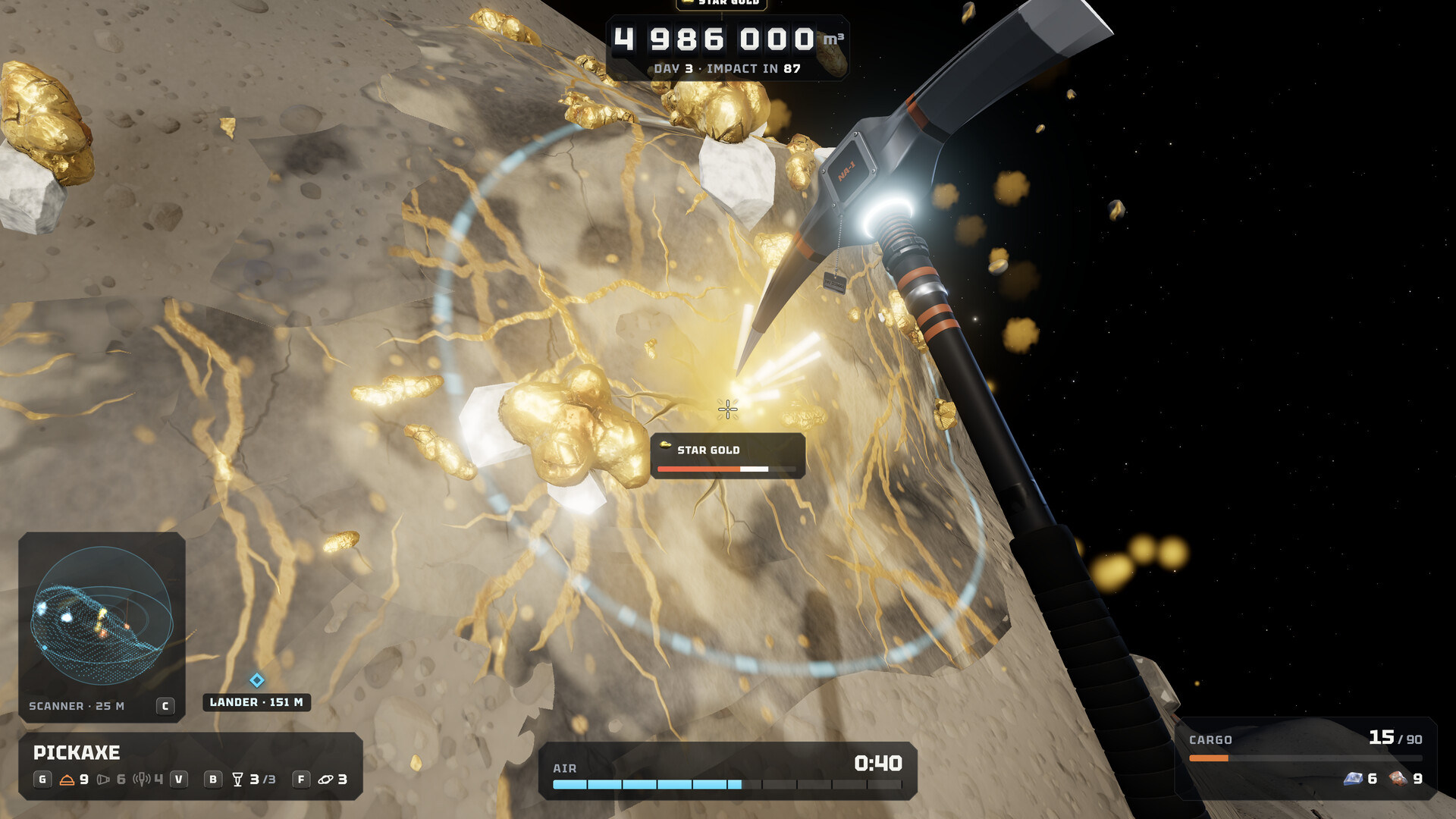
The mining loop, from ship to payday
You begin with a pickaxe and a 90-day contract to remove a 5,000,000 m³ asteroid. The ship is your base: mining earns the ore that pays for better tools, suit upgrades and automatic ship guns.
Find the lander before you leave
Use the lander aboard the ship to travel to the asteroid. Once down, locate its marker before heading toward ore. Keep the return path in mind as you dig deeper.
Mine a nearby ore deposit
The scanner indicates nearby ore; the demo tutorial explains that its depth reading places ore below you. Break through the rock to reach it. Broken ore travels to the lander automatically.
Watch two limits, not just one
Keep checking the air timer and cargo capacity. A full hold is a reason to head back even when you have air left. Low air is a reason to return even with empty space in the hold.
Get back aboard in time
Return to the lander and travel back to the ship. Running out of air causes a blackout and loses your cargo. In co-op, being outside when the lander departs also loses cargo.
Sell, then solve one bottleneck
Use the ship’s trade terminal to sell the retained ore. Check the sale before spending. If air ended the trip early, inspect suit air upgrades. If the hold filled first, inspect the lander’s cargo hold. Then start another shift and compare what stopped you.
A short shift beats a lost shift
Do not plan around using the very last second of air. The safe return margin depends on your distance, route and current equipment; there is no verified universal number of seconds to use.
If you black out: the cargo is lost. On the next trip, choose a shorter route and return sooner. Treat that as a change to your plan before spending money on an upgrade. In multiplayer, agree on departure before anyone starts the countdown.
Do not confuse the campaign’s 90 in-game days with real-time play hours. The developer estimates about 6–9 hours for the main contract when played solo; your pace can differ.
Controls and the current hosting fix
Keyboard: open Settings to customize bindings. The November 19, 2026 update says on-screen prompts follow your chosen keys, so use the prompts in your own game instead of copying an old video’s bindings.
Controller: the official demo announcement describes the right trigger for the pickaxe and the right stick for selling at the trade terminal. Gamepad settings include sensitivity, vertical-look inversion and rumble.
Invisible teammates after rehosting? The November 19 announcement fixes an issue when hosting after another session ended: players could become invisible, be unable to mine, and the new host’s progress could fail to save. Check that Steam has applied the current update before starting a new shared campaign. This is a documented patch, not a guaranteed fix for every connection problem.
If the issue persists, record the game version, whether you changed hosts, and what happened, then report it in the Steam discussions. Avoid investing a long session before confirming your host’s campaign is saving normally.